Gallery
Explore Icon Directions
A selection of example designs for inspiration. Your generated results will vary.
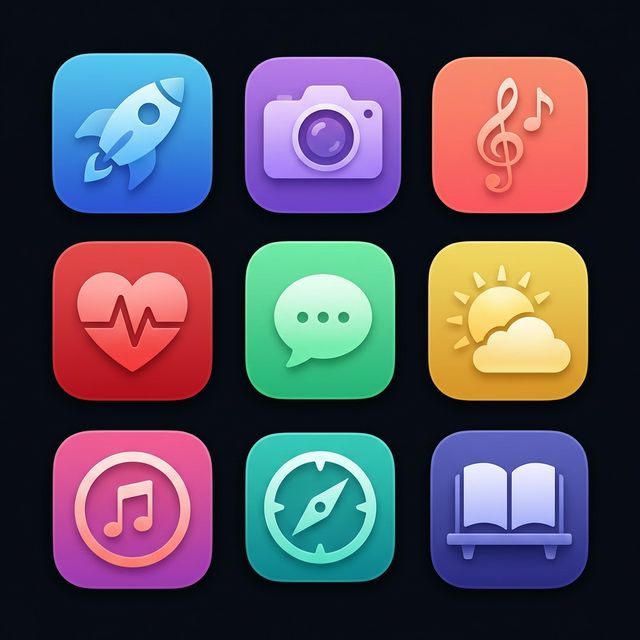
Illustrative designs, not customer testimonials or guaranteed outputs.
Describe your vision, explore a style, and refine your next app icon. Export a 1024px PNG or an iOS Xcode icon set when you're ready.
Free to try · No account needed · No credit card
From idea to iOS
“A bright compass for a walking app.”
AppIcon.appiconset
1024 × 1024 PNG1024 × 1024 PNG1024 × 1024 PNGContents.jsonIconBundlr helps you explore app-icon ideas from a description. Choose a visual style, review your result, and export a 1024×1024 PNG or an iOS .appiconset with light, dark, and tinted appearances plus Contents.json. Free to try, with optional export credits, weekly access, and lifetime access in the app. Check every design in your project before publishing.
Gallery
A selection of example designs for inspiration. Your generated results will vary.
Illustrative designs, not customer testimonials or guaranteed outputs.
How It Works
No design experience needed. Our AI handles the creative heavy lifting so you can focus on building your app.
Tell the AI what you want — "A minimalist rocket for a productivity app" — and pick an optional category.
Select from curated styles and a color palette that matches your brand, then generate and review your result.
Download a complete AppIcon.appiconset — a 1024×1024 master with light, dark and tinted appearances plus Contents.json. Add it to your iOS asset catalog and check the result in your project.
Try It Free
See the power of AI icon generation — describe your icon, pick a style, and review a web preview. Timing and results vary.
Check an existing result without starting another generation. Recovery is available for up to 24 hours. Keep this browser’s site data to retain access.
Features
Built specifically for iOS developers who value speed, quality, and simplicity.
Describe your app icon and explore an AI-generated design. Refine your description, style, and colors as you go. Generation timing and results vary.
Export a full AppIcon.appiconset with Contents.json — light, dark and tinted 1024px assets, ready for drag-and-drop into Xcode.
Explore a direction before committing to it. Preview your result and decide what to refine next.
Choose your preferred aesthetic — from flat and minimal to vibrant gradients — plus custom color palettes.
Use export credits for individual icons, choose weekly access while subscribed, or select lifetime access as a one-time purchase. See current options and your local price in the app.
Why IconBundlr?
A designer and an AI tool solve different needs. Choose the approach that fits your project.
Pricing
Start free. Compare the available products and your local price in the app before buying.
FAQ
Everything you need to know about IconBundlr.
Export a 1024×1024 PNG or an iOS AppIcon.appiconset ZIP with light, dark and tinted 1024px assets plus Contents.json. Add it to your iOS asset catalog and check your target project. This is not a layered Icon Composer file or a universal watchOS, macOS or visionOS asset pack.
You may use exported icons in apps you publish, subject to our Terms. Review third-party rights and platform requirements. AI outputs may be similar to other outputs; exclusivity, trademark clearance and App Store approval are not guaranteed.
Describe your idea and select a style and color. IconBundlr sends those details to an AI image-generation service. Review the result and refine your description as needed. Timing and results vary; generation needs an internet connection.
Choose from a five-credit export pack, weekly auto-renewing access, and lifetime access. One credit unlocks one icon; it is not an unlimited plan. Weekly access lasts while the subscription is active. Lifetime access is a one-time purchase. Available offers, localized prices, renewal terms and any trial eligibility appear before purchase.
Use Restore Purchases with the original Apple Account and the correct IconBundler account. If credits await verification, use Verify Credits where available. Do not buy again to clear a verification error. Contact support if access remains missing.
A connection error does not always mean the server failed to create an icon. In recovery-enabled versions, check the existing result before starting a new generation. Recovery does not start another generation. Contact support if your result or allowance remains unclear.